One tap. Nothing to start or stop.
Log a meal, a coffee or a body check-in. Change the time if you logged late. No calories, no countdown, no streaks.
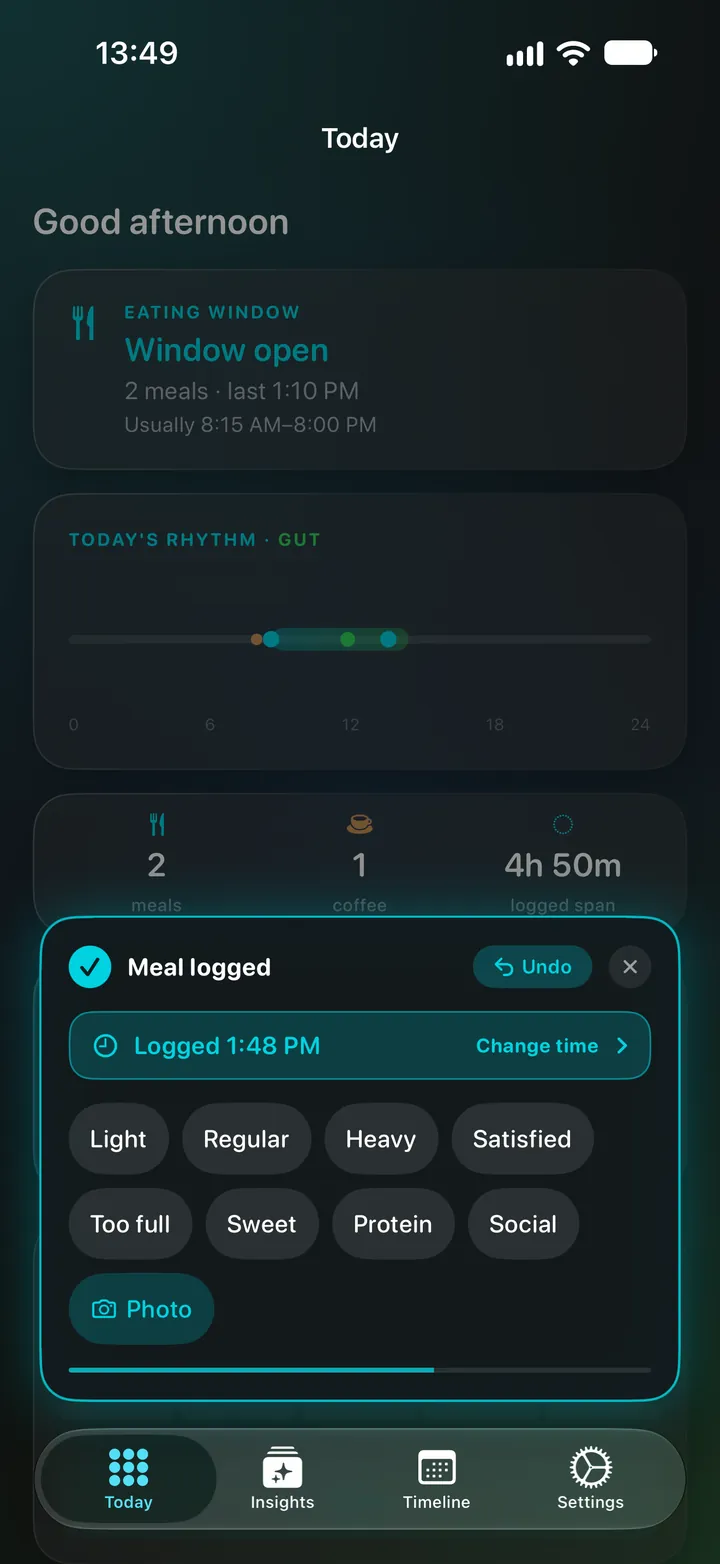
Log a meal in one tap. Ridma works out your eating window and overnight gap from what you log, whether today is one meal or three. Check in on your energy, gut or mood when you want, and see them side by side.
Free to download · iPhone, iPad and Apple Watch · No account
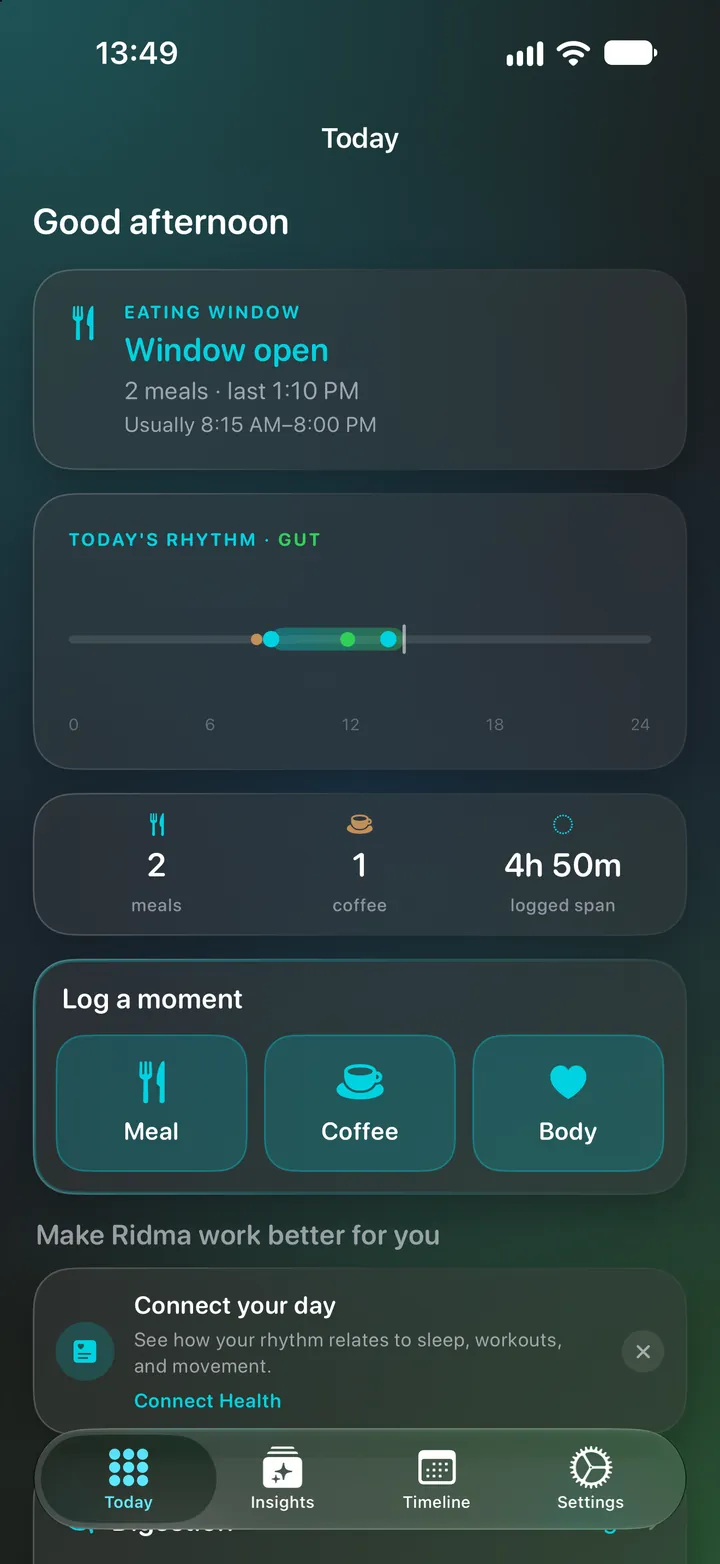
Inside Ridma
One meal some days, two on others. Ridma works from what you log, not from a plan.
Log a meal, a coffee or a body check-in. Change the time if you logged late. No calories, no countdown, no streaks.
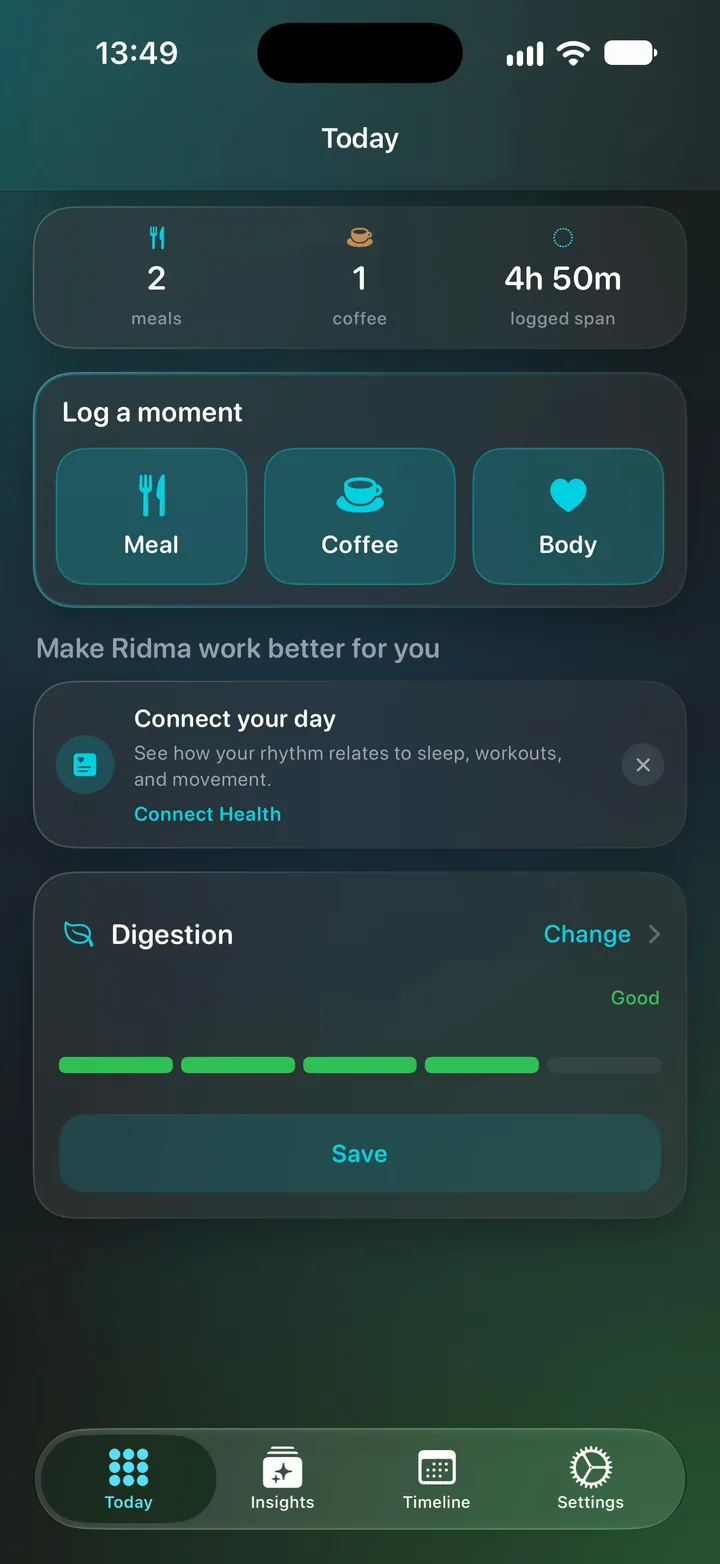
Choose Energy or Digestion as your focus and it sits on Today next to your meals. Mood, hunger and cravings are there when you want them.
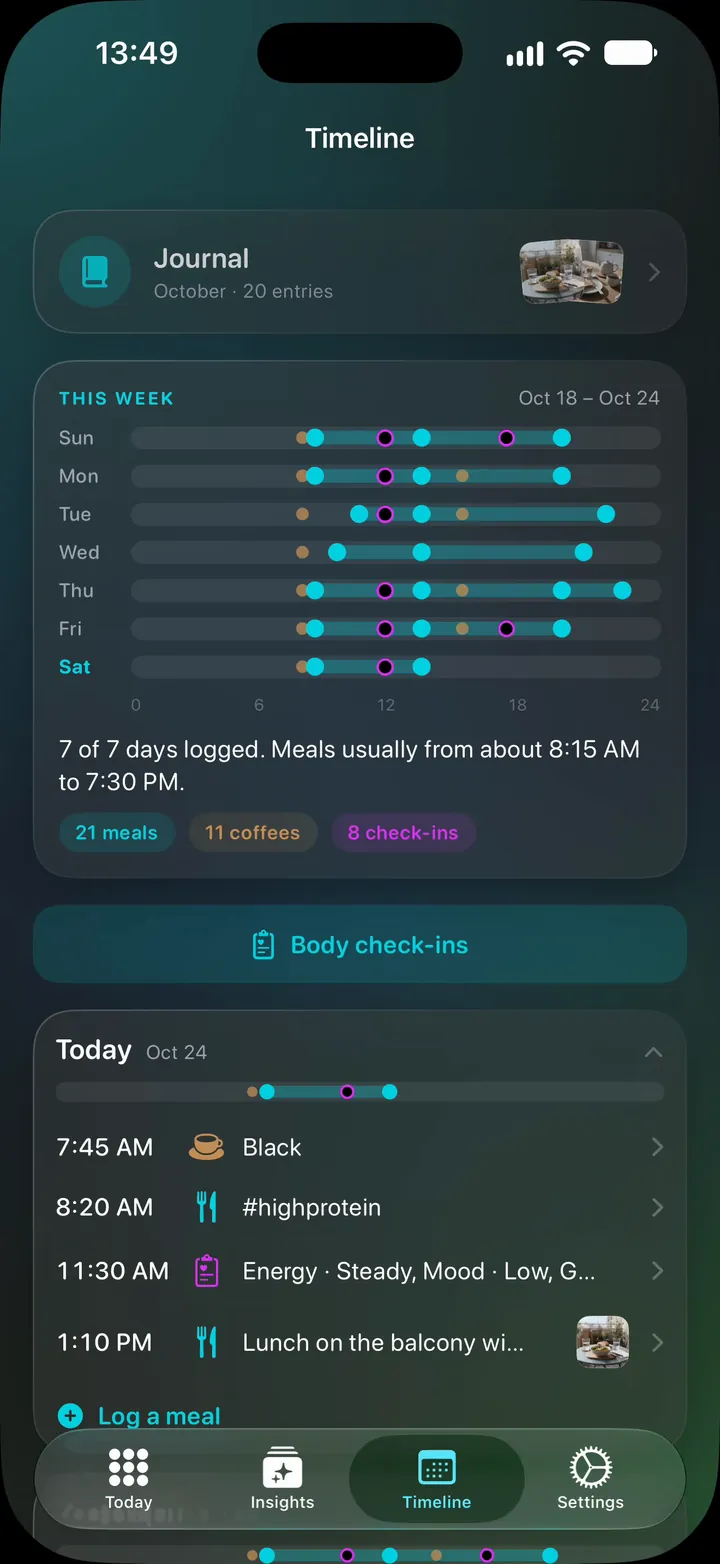
Each day's eating window on Timeline, and how many days had one meal or two.
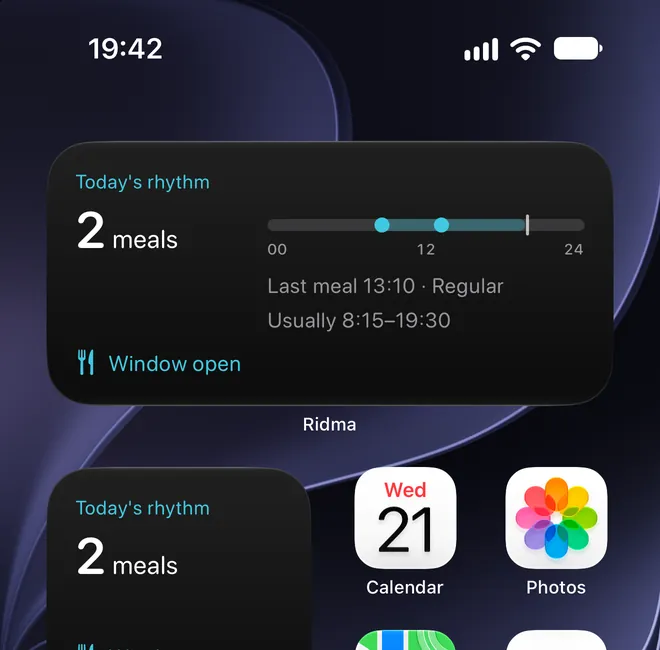
When a week ends, Ridma compares it with the one before. Some weeks there is nothing new, and it says so.
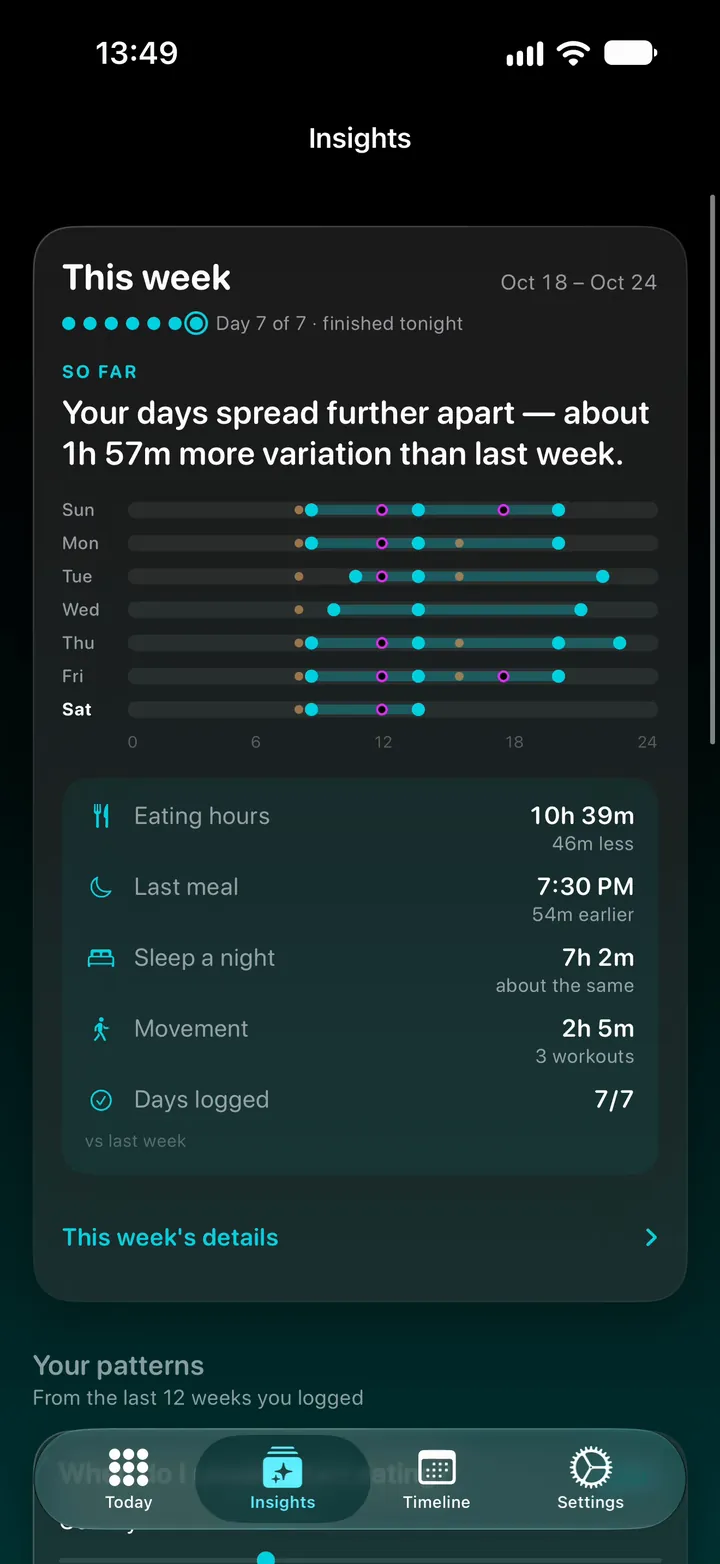
Log from Apple Watch, and see whether your window is open from a widget.
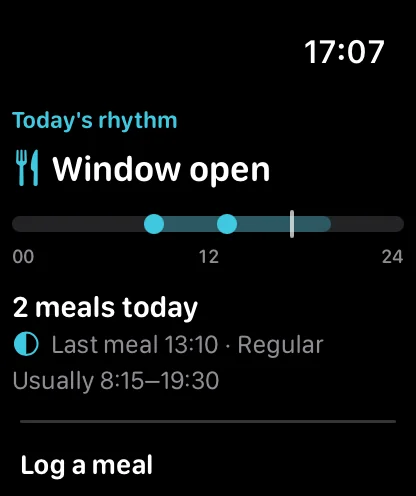
Layouts made for the bigger screens, Siri for a quick log, and widgets for a glance. Requires iOS 26 or later.
New in 2.2
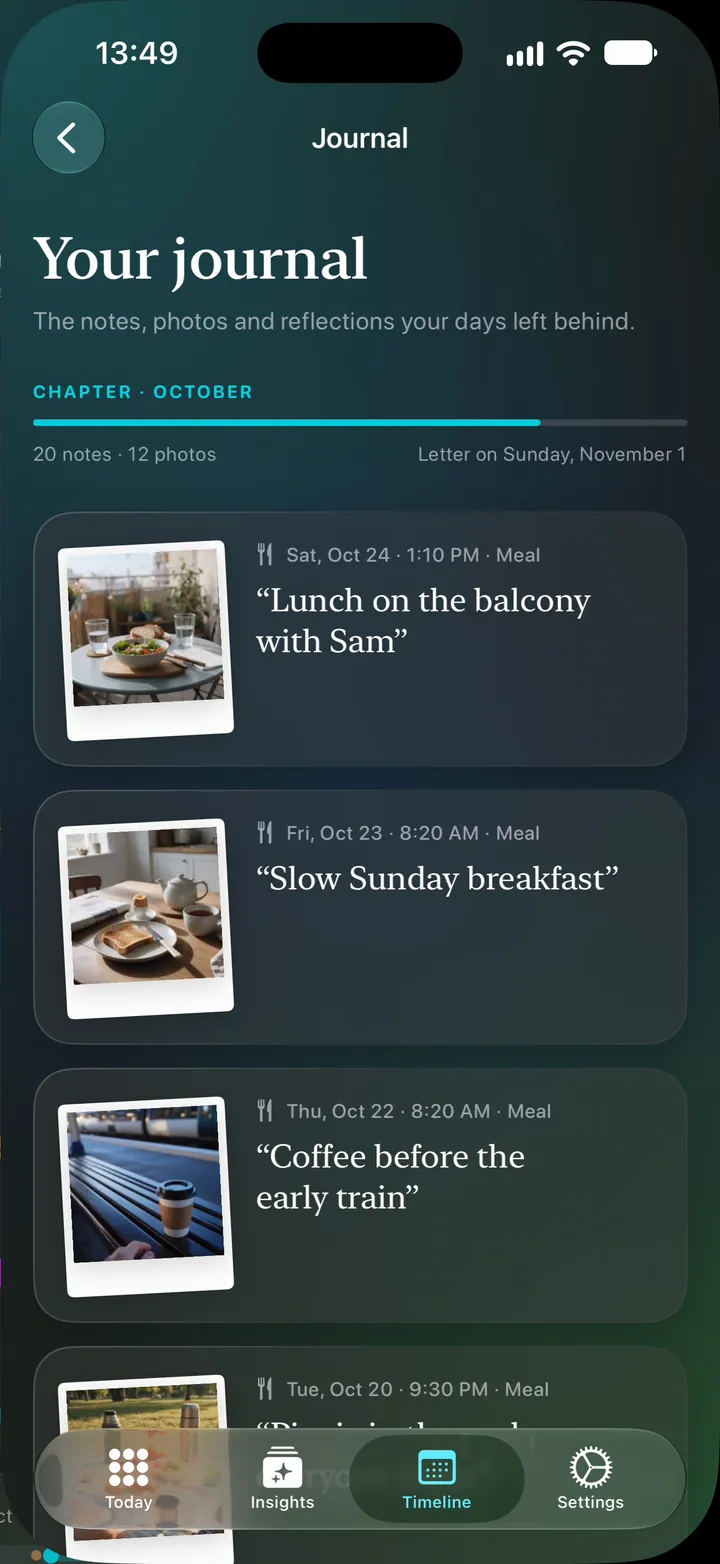
Add a photo or a note to any meal, coffee or check-in, from its editor or right after you log. The journal gathers them by month, with “On this day” and a short letter when each month ends.
Free & Premium
Everything you need to see your rhythm.
Everything in Free, plus:
Monthly, yearly or lifetime, with prices shown in the app. If you're eligible, the yearly plan starts with a free trial, and Ridma can remind you before it ends.
Private by design
Your logs and photos are stored on your iPhone. Backups and exports happen only when you choose them.
Read the privacy policy →Open Ridma and log your first meal.
Your health and journal data aren't sent to our servers.
Back up to your own iCloud, or export a copy to Files, when you choose.
Connect it to see sleep and movement next to your meals.
No. Ridma looks at when you eat and how you feel. There are no calories, macros or portions, no meal plan and no weight targets.
No. Ridma works out your eating window and overnight gap from the meals you log. There is nothing to start or stop, no countdown and no streak to keep.
Logging meals, coffee and check-ins, notes and photos, Today, Timeline, the current week and your first patterns are free. Premium adds twelve weeks of patterns, every finished week, the journal with its monthly letter, small experiments, and evening summaries.
Today's rhythm takes shape as soon as you log. A weekly finding needs a finished week with a few logged days. Some weeks there is nothing new, and Ridma says so.
No. Ridma doesn't diagnose or treat anything. It keeps a record of when you ate, how full a meal left you and how your digestion felt, side by side. That can make patterns easier to notice, and gives you something concrete to bring to a doctor or dietitian.
On your iPhone. There's no account. Backups go to your own iCloud and exports go where you put them, only when you choose.
Reading
You don't need a perfect routine to learn from it. Log one moment and let the picture grow.
Download on the App Store